AI agents for HVAC companies
that take the no-heat call.

AI agents for HVAC companies that pick up the phone on your own Twilio number when the furnace dies at 11pm, answer "can somebody come today?" from your own hours and service area, book the call into a slot that is actually free, and then follow up the replacement quote by email and text for as long as it takes. Every call, text and chat kept in one inbox.

7-day free trial · Cancel anytime

Every channel wired into one agent and out to the tools behind it: email, SMS, phone, Instagram, Messenger, WhatsApp, Telegram, LINE, Slack, Discord, X, Reddit, Bluesky, website chat, campaign sequences and follow-ups on one side; HubSpot, GoHighLevel, Housecall Pro, ServiceTitan, Jobber, Google Calendar, Microsoft 365, Calendly, HubSpot Meetings, Zoho Bookings, Acuity Scheduling, Cal.com, Square Appointments, Stripe, Shopify, WooCommerce, Wix and Squarespace on the other.

The no-heat call, answered in real time on your own number

The first cold snap of the year puts more calls on the line in one evening than a dispatcher takes in a week, and the ones that ring out go to the next company on the list. The agent answers on your own Twilio number, hears and speaks in real time, and works from the script and the material you gave it: your service area, your hours, your diagnostic fee, what counts as an emergency and what waits for the morning.

It texts too, on the same number or another one, through Twilio, Telnyx or one of seven other carriers. A customer who cannot talk on the phone gets a text back; a quote that has gone quiet gets a text on day five. Every call leaves a transcript and a recording in the inbox, so the tech who takes the job in the morning reads what was said before knocking on the door.

The text messages card in the campaign builder: which agent's number sends, texts per hour per number, a TCPA consent tick with the 9am to 8pm sending window and the Reply STOP line, and the opening text of the sequence.

Booked into a slot that is actually free, while they are still on the line

An HVAC answering service takes a message. This books the job. Connect the calendar your dispatch runs on, whether that is Google Calendar, Microsoft 365 or one of the booking tools, and the agent is given the real open slots for the week ahead. It offers a few, the customer picks one, and the booking is written in and confirmed on the call, in the text or in the chat.

It cannot book a time that was not free and it cannot move an appointment it was not shown, so the board the dispatcher looks at in the morning is the board the customer was promised. The booking, the notes and the outcome are written back to the CRM against that customer, and the dashboard reports how many enquiries became booked calls.

The Inbox as one list: web chat, texts and calls together, a call marked no answer, a completed call that booked a roof inspection, texts confirming a Thursday appointment and asking the price, each row tagged with the channel it arrived on.

The after-hours enquiry on your website gets a straight answer

A homeowner comparing three companies at 9pm does not fill in a form and wait until Tuesday. One line of script puts a chat widget on your site in your colour, with your image and a greeting you wrote, and the agent answers from the knowledge base: whether you cover their suburb, what a diagnostic visit costs, whether you install heat pumps, how the financing works. When the conversation is worth keeping it asks for an email address or a phone number.

That address links the visitor to the rest of their history. When they text the next morning, or call from the number on the site, the agent already knows what they asked and what they were quoted, and picks up where the chat left off instead of starting from nothing.

A website chat conversation in the Inbox: the visitor asks how much it is, the agent answers with the price and a link, the visitor's story is drawn across the top, and a reply box lets a person take the thread over.

Replacement quotes followed up from your own mailbox, for weeks

A system replacement is a considered purchase. The homeowner gets two or three quotes, thinks about it, gets distracted, and the company that checks in on the right day is usually the one that gets the job. The agent runs that follow-up from your own mailbox, connected with an app password for Gmail or Outlook or as an SMTP and IMAP host, so it comes from the address on the quote and not from a third-party domain.

Each step of the sequence is a template with the quote details filled in: a note on day two, a text on day five, an email on day ten about the financing plan, a call on day fourteen. A reply comes back over IMAP and is answered from the address it arrived at, and the moment the customer replies, books or asks it to stop, the sequence ends on every channel.

An agent's Email tab with three mailboxes connected, each showing a Good 90 health score, warm-up day and inbox placement, SPF, DKIM and DMARC checks, and an Active toggle.

AI agents for HVAC companies that work the phone in the first heatwave

HVAC is a business with two peaks and a long middle. The first heatwave and the first cold snap put more enquiries on the phone in a day than the office can answer, and every one that rings out is a job that went to the next company on the list. Then the middle of the season arrives, the phone goes quiet, and the work that actually decides the year, chasing the replacement quotes and renewing the maintenance plans, gets done when somebody remembers. AI agents for HVAC companies exist to answer the peak in real time and to do the middle-season work on a schedule, without anybody in the office having to remember.

Bold Agent Kit gives you one agent that answers on your own Twilio number, your own mailbox, your website chat and your social DMs, from one knowledge base. You give it your service area, your hours, your diagnostic fee, your emergency rules, the brands you install, the maintenance plan, the financing options and the pages of your site it may link to. It answers the customer from that material and nothing else, offers the real open slots on your calendar, books the one they choose, and writes the outcome back to ServiceTitan, Housecall Pro, Jobber or HubSpot.

It follows up as well. A replacement quote gets a sequence you wrote once: the email on day two, the text on day five, the call on day fourteen, inside the hours you set, until the homeowner replies, books or opts out. A segment of past customers pulled from the CRM gets the spring tune-up reminder and the plan renewal on the day you chose. Every message, call transcript and chat lands in one inbox, and the dashboard counts how many people it reached, how many booked and what the work was worth.

It is not an answering service that takes a message, and it is not a voice platform priced per minute. It is software on your own accounts, at $25 a month for as many agents as you want to run, with the AI on your own key and the calls and texts billed to you by your carrier at cost. A busy August costs you no more than a quiet October.

Answers the peak in real timeCalls, texts and chat answered the second they arrive, in the heatwave and the cold snap alike.
Books the call, not a callbackReal open slots on your dispatch calendar, and only a slot it offered can be booked.
Follows up the replacement quoteEmail, text and call on the days you set, until the homeowner replies, books or opts out.
Renews the maintenance planA segment of past customers from the CRM gets the tune-up reminder on the date you chose.
Answers financing from your Q&AThe plans you offer and the application page you allowed, and nothing invented.
No per-minute charge$25 a month for unlimited agents. Carrier and AI usage billed to you at cost.

The phone rings most on the day nobody can answer it

HVAC companies rarely lose a customer on price. They lose them in the gap between the enquiry and the answer, and that gap is widest exactly when the weather turns.

01

The heatwave floods the line

The first 95-degree day puts fifty no-cool calls on a phone that one person is answering between dispatching techs. The calls that ring out go to voicemail, and a homeowner with a house at 88 degrees does not leave a message. They call the next company, and that company answered.

02

The 11pm no-heat call goes to voicemail

The furnace dies on the coldest night of the year, after hours. Either the owner takes it on a personal mobile, which does not scale, or an answering service takes a name and a number and promises a call in the morning, which is not what the customer wanted. The first company that says "we can be there at 8am, does that work?" wins the job.

03

The replacement quote goes quiet after the site visit

A comfort advisor spends ninety minutes in the house, sends a proposal for a new system, and follows up once. The homeowner is getting two other quotes and waiting to hear which company still wants the work. Nobody in the office has the afternoon to check in on day four, day ten and day twenty, so the quote that would have closed with a text about financing closes with a competitor instead.

04

Maintenance plans lapse because nobody sent the reminder

The plan customers are the best customers in the book: they pay every year, they call you first when the system fails, and they buy the replacement from you. Their renewal and their tune-up reminder are a campaign that should go out on a date, from a list, and it does not, because the list lives in the CRM and the campaign lives in somebody's good intentions.

One agent on the phone, the mailbox, the website and the DMs, from one knowledge base

You build the HVAC agent once: your service area, your hours, your fees, your brands, your plan and your rules. From then on it answers on every channel you connect, books into your calendar, and follows up on its own.

01 / Answers

The no-cool call, from your material

On the phone it hears and speaks in real time, on your provider's fastest model, from the script you saved. In chat, text and email it answers "do you cover my area?", "what does a diagnostic cost?" and "do you offer financing?" from your documents, your Q&A pairs and your data points, and links only to the pages of your own site you allowed. With the CRM connected it reads the customer first: what system you installed, what plan they are on, what is still open.

02 / Books

Into the slot that is actually free

It is given the real open slots on the connected calendar for the week ahead, offers a few, and books the one the customer picks, on the call, in the text or in the chat. The booking is checked against the slots that were offered, written to the calendar, confirmed in the reply and logged against the contact in the CRM. It cannot book a time that was not free, and it cannot cancel an appointment it was not shown.

03 / Follows up

The quote and the renewal, on a schedule

A replacement quote gets a sequence across email, text and call, each step with its own delay and send condition, inside the days, hours and time zone you set. A maintenance segment pulled from the CRM gets the tune-up reminder on the date you chose. Both stop the moment there is a reason to: a reply, a booking, or an opt-out on any channel ends the sequence on every channel.

The tune-up reminder goes out on the date, inside the window, with a stop word

A maintenance-plan reminder is a text campaign to a segment you pulled out of the CRM: everyone whose plan renews in March, or everyone you installed a system for in the last three years who has no plan at all. The text step carries the number it sends from, how many texts an hour that number may send, the sending window and the Reply STOP line, and the whole plan is shown on a review screen before a single message leaves. It sends nothing until you press Start.

A reply of "yes, book me in" is answered by the agent with the open slots for the week ahead, and the booking is written to the calendar. A reply of STOP is honoured on every channel at once, and any reminder already queued to that customer is cancelled. Every send, reply and booking is logged against the customer, so the office can see who renewed, who booked a tune-up, and who has not answered yet.

The text messages card in the campaign builder: which agent's number sends, texts per hour per number, a TCPA consent tick with the 9am to 8pm sending window and the Reply STOP line, and the opening text of the sequence.

The four things that decide an HVAC company's season

Each one answers a problem above, and each one runs whether or not anybody in the office has a free hand.

Speed

Answered the second it arrives

The no-cool call at 2pm in the heatwave and the no-heat call at 11pm in January are answered in real time on your own number, and the chat on your website at 9pm gets a straight answer, from your material, on the channel it arrived on.

Booking

A slot on the board, not a message

The agent offers the real open times on your dispatch calendar and writes the one the customer picks into it, while they are still on the line. The dispatcher opens the board in the morning and the job is already there, with the notes.

Persistence

The quote chased until it signs

Email on day two, text on day five, call on day fourteen, for as long as you set. The sequence runs to the end on every quote unless the homeowner replies, books or opts out, and it does not get busy in August.

Memory

One customer, one history

The chat, the text, the call and the email from one homeowner are one contact. The agent reads the whole history before it replies, so the customer who was quoted a heat pump in March is not asked in June what they are looking for.

And you can see exactly which calls became jobs

Every call, text, chat, email, booking and job is recorded against a customer and reported as a funnel, per agent and across the account. This is the part that tells you whether the spring campaign was worth sending.

The Bold Agent Kit dashboard: 157 people reached, 89 replied, 59 visited the site, 9 converted and $4,050 of value won over the last 30 days, with a breakdown by channel and by agent, and recent journeys underneath.

The funnel counts people, not messages: how many the agent reached, how many replied, how many went on to visit your site, how many booked or bought, with the total value won and the median time from first contact to the job. Set a goal with a dollar value on a booked service call, on a signed replacement, or on a plan renewal, and each campaign reports what it brought in rather than how many texts it sent.

Below the funnel, a channel table shows where each customer first made contact and which channel they were on when they booked, so you learn whether the heatwave enquiries are coming through the phone, the website chat or Messenger, and which one the replacement quotes close on. One row per customer shows the whole history in order: the chat in March, the quote in April, the text that got the reply, the call that booked it. With a one-line snippet on your site, a visit trigger can follow up when a known customer opens the financing page and leaves without booking.

A funnel of homeowners, not messagesReached, replied, visited your site, booked or bought, and the total value won.
Time to a booked callThe median time from first contact to the booking, in the peak and in the middle of the season.
Which channel booked itWhere each customer first made contact, and the channel they were on when they booked.
The financing page, watchedWho opened it and left, and a follow-up after a delay you set, on the channel they last used.
One row per customerEvery chat, text, call, quote and booking for that household, in order, with timestamps.
Value won per campaignA goal on a tune-up, a replacement or a renewal carries a dollar figure, so the spring run reports what it made.
Journey view

Every event for one person

Built from the cookie, email address and phone number attached to that contact, so activity months apart on different channels appears on one row.

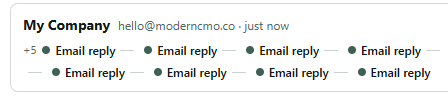
A journey row for one contact: their address, then every email reply in order along a single line, with earlier events folded up behind a +5.
Visit triggers

Follow up on a return visit

Page goals and visit triggers require a one-line snippet on your website. Conversations, bookings and manually marking a deal won work without it.

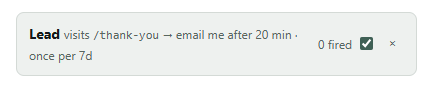
A saved visit trigger: when a lead visits /thank-you, email me after 20 minutes, once per 7 days, with a fired count and an on switch.

What an HVAC front office normally takes, and what it takes here

Each of these is usually a separate service or a separate tool, and most of them are priced per call, per minute, per conversation or per seat. Here they are one plan.

The jobWhat it normally takesBold Agent Kit
Answering the phone at night and in the peakAn HVAC answering service that takes a message, priced per call or per minuteIncluded, on your own number
Booking the service call into the calendarA dispatcher on the phone, or a booking link and hoping they use itIncluded, the agent books it
Live chat on the website after hoursA chat vendor priced per conversation, or a form nobody reads until TuesdayIncluded
Following up every replacement quoteThe comfort advisor, once, then silenceIncluded, email, text and call
Tune-up reminders and plan renewalsA CRM export and an email tool, sent when somebody remembersIncluded, from a CRM segment
Answering financing and pricing questionsThe office manager, interrupted, from memoryIncluded, from your Q&A
Knowing which channel produced the jobAttribution most HVAC companies do not haveIncluded
The AI itselfMetered per minute or per conversationYour own key, billed by your provider at cost

Bold Agent Kit is $25 a month, or $200 a year, for the whole account: every agent, every channel, every technician's calendar, no per-call or per-minute charge. The only other costs are your carrier's, for the calls and texts, and your AI provider's, typically a few dollars a month per agent.

What HVAC companies put an agent on

The same agent covers all of these. Many companies run one per brand, one per branch, or one for service and one for installs.

It books your calendar, updates your CRM and knows what they bought

Connect the tools you already run and the agent works them like an assistant would: it takes appointments straight into your calendar, writes notes and outcomes back to the CRM, and reads your store to see what somebody has bought before it answers them.

Bookings are real, not guesses. It is only ever given slots that are genuinely free, and it can only take one it actually offered — so it cannot invent a time or double-book you. The same connection pulls a segment of past customers into a list when you want to run a campaign at them.

It books the slot itselfReal open times offered, and only a slot it actually offered can be booked.
Eighteen toolsHubSpot, GoHighLevel, Housecall Pro, ServiceTitan, Jobber, Stripe, Shopify and more.
It reads the customer firstWhat they bought, what is still open and what they are worth, before it replies.
Pull a segment into a listTake past customers straight out of the CRM and run a campaign at them.
Every action loggedBookings, cancellations and notes all recorded against that contact.

Eighteen CRMs, calendars and stores

  • HubSpot
  • GoHighLevel
  • Housecall Pro
  • ServiceTitan
  • Jobber
  • Google Calendar
  • Microsoft 365
  • Calendly
  • HubSpot Meetings
  • Zoho Bookings
  • Acuity
  • Cal.com
  • Square
  • Stripe
  • Shopify
  • WooCommerce
  • Wix
  • Squarespace

Powered by your own keys

Each agent uses a model on your own API key, in the same way it sends from your own mailbox and your own phone number. Sixteen providers are supported: OpenAI, Anthropic, Gemini, xAI and Mistral; DeepSeek, GLM, Kimi, Qwen and MiniMax; Groq, Together, Fireworks and OpenRouter; and Ollama or any other OpenAI-compatible endpoint you host yourself.

Bring your own credentials and you own the whole stack: your model provider, your mailboxes, your carrier, your CRM. We charge for the software and nothing else — no token markup, no metering, no credit packs — so your provider bills you direct at their rates, usually a few dollars a month per agent.

Your key, sixteen providersOpenAI, Anthropic, Gemini, xAI, Mistral, DeepSeek, Groq, OpenRouter and more.
Or a model you hostOllama, vLLM, or any other OpenAI-compatible endpoint of your own.
The fast model on callsIt switches automatically, because a phone call cannot wait for a sentence.
No metering from usNo markup, no credit packs, no per-message billing. A busy month costs no more.
Keys stored encryptedYour credentials are yours; we never send them anywhere but your provider.

Sixteen model providers, on your own key

  • OpenAI
  • Anthropic
  • Gemini
  • xAI
  • Mistral
  • DeepSeek
  • GLM
  • Kimi
  • Qwen
  • MiniMax
  • Groq
  • Together
  • Fireworks
  • OpenRouter
  • Ollama
  • Any OpenAI API

None of it matters if the email lands in spam

A new address sending forty cold emails a day gets filtered, and takes the domain with it. Mailboxes that opt into warm-up send each other ordinary mail on a ramp, starting at five a day. The receiving mailbox finds each message, moves it out of spam if it landed there, marks it read and replies to a share of them.

Each mailbox carries a health score out of 100 — SPF, DKIM and DMARC on the sending domain, seven days of real sends and bounces, and where its own warm-up mail is landing — with the reasons listed. A mailbox whose bounce rate or spam placement passes a threshold is pulled out of campaign rotation automatically, before it damages the domain.

Warm-up on a rampOpted-in mailboxes send each other ordinary mail, starting at five a day.
A health score out of 100SPF, DKIM and DMARC, seven days of real sends, and where the mail is landing.
A failing address rests itselfCross the bounce or spam threshold and it leaves campaign rotation on its own.
One-click unsubscribeHonoured automatically, including on messages already sitting in the queue.
Caps you cannot overshootOne reply per thread, a daily cap per sender, hourly caps per channel.

Live before the next cold snap, and nothing sends until you say so

Three steps. Inbound answering can be switched on the same afternoon. A campaign is created as a draft and shows you the whole plan, every customer and every step, before it sends anything.

Build the HVAC agent

Name it, choose a model and paste your API key. Then give it what it needs to answer a homeowner with a dead system: your service area as a data point, your hours and your after-hours rules, your diagnostic fee and call-out charge, the brands you install and service, the maintenance plan and what it includes, the financing options and the page on your site that explains them.

Write the instructions last: how it should speak on the phone, what counts as an emergency, which offers it may make on a quote follow-up, and the exact situations in which it should stop and fetch a person. A gas smell, a commercial account and a warranty dispute are the usual three.

Model16 providers, on your own key
Documentsthe plan terms, the warranty, PDF or Word
Q&A pairsfinancing, brands, "can you come today?"
Data pointsservice area, fees, hours, lead times
Your pagesthe financing and plan pages, linked verbatim
Instructionsemergency rules, tone, when to hand over

Connect the number, the mailbox and the dispatch calendar

Add a Twilio number for calls and texts, the mailbox your quotes go out from, the chat snippet for your website, and the Messenger or Instagram account customers already message. Each one runs on your own account, so the number on the trucks is the number that answers.

Then connect the calendar the dispatch board runs on, and the CRM that holds the customers: ServiceTitan, Housecall Pro, Jobber, HubSpot or GoHighLevel. The agent reads the customer before it replies, books into real open slots, and writes the outcome back.

NumberTwilio for calls, or one of nine SMS carriers
Mailboxapp password, or SMTP + IMAP
Websiteone line of script
Socialyour own app credentials
CalendarGoogle, Microsoft 365, Calendly and more
CRMServiceTitan, Housecall Pro, Jobber, HubSpot

Switch inbound on, then build the quote and renewal campaigns

Switch answering on for calls, texts, chat and DMs, and the agent starts working what already arrives. Then build the quote follow-up and the maintenance reminder as campaigns: set the days, hours and time zone anything may send, and read the whole plan on the review screen. Nothing leaves until you press Start.

Then watch the inbox. Enquiries and replies are worked by the agent; emergencies and the situations you named come to you; a booking or a reply ends the sequence. Pause a campaign in the heatwave and resume it when the board clears.

Inbounda separate switch per channel
Draft firsta campaign sends nothing until started
Scheduledays, hours and time zone
Conditionsopened, not opened, clicked
Stop rulesreply, booking or opt-out
Pauseresume any campaign at any point

One account, unlimited agents

One account runs unlimited agents, one per client, and nothing is shared between them. A knowledge base belongs to a single agent, and content from one agent is never used to generate replies for another.

Invite a client by email address and they get their own login, which opens onto the one agent you gave them: its conversations, its numbers, its analytics and a reply box. They cannot see your other clients, your API keys, your settings or your billing. Access is deny-by-default.

One agent per clientUnlimited agents on one account, and nothing crosses between them.
They see one agent, not your accountTheir own login, onto the conversations, numbers and analytics you gave them.
Deny by defaultNo settings, no API keys, no billing, no sight of your other clients.
Reporting they can readThat agent has its own funnel, so the client sees what it actually produced.
$50 a year per referralOr $5 a month on the monthly plan — on every payment, for the life of the account, not just the first.

One plan. Everything in it. Monthly or yearly.

No seat tiers, no credit packs, no per-agent or per-channel pricing, and nothing held back behind an enterprise call.

Agents
How manyUnlimited — one per business, brand or job
Shared brainThe same identity, instructions and knowledge on every channel
Knowledge baseDocuments, Q&A pairs, data points and pages of your own site
IsolationOne agent's content is never used to reply for another
Client seatsInvite a client into one agent, with their own login
Channels
EmailAs many mailboxes per agent as you connect, rotated by campaigns
Text messagesNine providers — Twilio, Telnyx, SimpleTexting, Plivo, Vonage, Sinch, Bandwidth, MessageBird, ClickSend
Phone callsAnswering and dialling, with recordings and transcripts
TranscriptionGoogle, or Deepgram nova-3 on your own key
VoicesGoogle, Amazon Polly and ElevenLabs, or your own ElevenLabs / Fish Audio account
Voice cloningRecord a voice in the browser and clone it on your ElevenLabs or Fish Audio key
Website chatA widget on your site with your colour, image and greeting
Social DMsMessenger, Instagram, WhatsApp, Telegram, LINE, Viber, Slack, Discord, Bluesky, Reddit, X
Inbox
One listEvery channel's conversations together, newest first, tagged by channel
FiltersBy channel, by mailbox or number, or by agent
TakeoverReply yourself and the agent stands down on that thread
Hand backReturn the thread to the agent when you are done
Campaigns
Multichannel sequencesEmail, text and call steps in one campaign, each with its own timing
Send conditionsSend a step only if they opened, did not open, clicked or did not click
ScheduleThe days, hours and time zone anything may be sent
Stop rulesA reply, a booking or an opt-out on any channel ends the sequence
PacingPer-mailbox and per-number hourly limits, pausable and resumable
Review before startThe full plan is shown; a campaign sends nothing until you start it
TemplatesEmail, text and call scripts, saved once and reused
Analytics
FunnelReached, replied, visited, converted, plus value won and time to convert
By channelWhere each person started, and the channel they converted on
PagesWhich pages known people read, and how many of them converted
JourneysOne row per person: every message, visit, call and booking in order
GoalsA page rule or a manual "won", each with a dollar value
TriggersA known person returns to a page — notify you, or send a follow-up
Open and click trackingRecorded per campaign and added to that person's history
Integrations
CalendarsGoogle, Microsoft 365, Calendly, Cal.com, Acuity, Zoho, Square, HubSpot Meetings
CRMs and commerceHubSpot, GoHighLevel, Housecall Pro, ServiceTitan, Jobber, Stripe, Shopify, WooCommerce, Wix, Squarespace
BookingReal open slots offered, and only an offered slot can be booked
CRM importImport a segment of customers into a contact list
Deliverability and compliance
Mailbox warm-upRamped sending across the network, with spam rescue and replies
Health scoreSPF, DKIM, DMARC, bounce rate and inbox placement, with reasons
Auto-restA failing address is removed from rotation automatically
UnsubscribesOne click, honoured automatically, including on queued mail
Reply limitsOne reply per thread, per-sender daily and per-channel hourly caps
FilteringBounces, out-of-office and no-reply addresses ignored
List building
Contact extractionEmails, phone numbers and social profiles, on any site. Unlimited.
Deep scanFollows the pages of a domain most likely to carry contact details
Domain queueLoad a CSV of sites and work through them one at a time
Contacts and listsUnlimited, by email or phone, with CSV import and export
AI
Your own keySixteen providers, including any OpenAI-compatible endpoint you host
What we charge for AINothing — no markup, no metering, no credit packs
On callsUses your provider's fastest model automatically
Account
PlatformsChrome side panel and web dashboard on one login
Members' forumSix boards, visible only once you are signed in
Referral program$50 a year per referral ($5 a month), recurring for the life of the account
Supportsupport@boldagents.co
$25/ month
$200/ year

Billed monthly. No add-ons, no seat tiers. Cancel anytime.

$16.67 a month, billed once a year. No add-ons, no seat tiers. Cancel anytime.

Start 7-day free trial Start 7-day free trial

Before you sign up

Can AI agents for HVAC companies actually answer the phone during a heatwave?

Yes, on your own Twilio number. The agent hears and speaks in real time, using your provider's fastest model so it does not leave silences, and works from the script you saved: your service area, your hours, your diagnostic fee and your emergency rules. It offers the real open slots on your connected calendar and books the one the caller picks while they are on the line. Every call leaves a transcript and a recording in the inbox. Answering and dialling are separate switches, so it can pick up the inbound line without ever placing an outbound call if that is all you want.

How does it book a service call into ServiceTitan, Housecall Pro or Jobber?

You connect the calendar your dispatch runs on, and the CRM that holds the customers. The agent is given the genuinely free slots for the week ahead, offers a few, and when the customer chooses one the choice is checked against what was offered, written to the calendar and confirmed in the reply. It cannot book a time that was not free and it cannot cancel an appointment it was not shown. The booking, the notes and the outcome are written back to the CRM against that customer, so the dispatcher sees the job and the reason for it in the morning.

What does it say when a customer asks about financing?

What you told it and nothing else. Financing lives in the knowledge base as Q&A pairs and data points: the plans you offer, the terms you are willing to state, and the page on your own site that explains them or takes the application. The agent answers from that material and links only to the pages you allowed. It does not quote a rate you did not give it or approve anybody for anything, and if a question falls outside the material you gave it, it says so and can hand the thread to you.

What happens with a genuine emergency, like a gas smell?

That is the kind of call you write a rule for. In the agent's instructions you name the situations in which it stops and fetches a person: a gas smell, a carbon monoxide alarm, a commercial account, a warranty dispute. When a call or message matches, the thread lands in your inbox with the agent standing down on that conversation. You can also tell it what to say first, for example to leave the house and call the gas company, before it hands over.

Can it send tune-up reminders and maintenance plan renewals?

Yes. Pull a segment out of the connected CRM, such as every plan customer whose renewal falls in March or every system you installed in the last three years with no plan, into a contact list, and run a campaign at it: a text and an email on the days you set, inside the sending window, with a Reply STOP line. When a customer replies "yes", the agent offers the real open slots and books the tune-up. When they opt out, the sequence ends on every channel and anything queued is cancelled. The campaign reports how many renewed and what it was worth.

Will it follow up my replacement quotes for weeks?

For as long as you set. Build a campaign with email, text and call steps, each with its own delay and send condition: an email on day two, a text on day five if the email was not opened, a note about financing on day ten, a call on day fourteen. It runs inside the days, hours and time zone you allow, and stops the moment the homeowner replies, books or opts out on any channel. With the CRM connected it reads what was quoted before it writes, and questions about the equipment or the warranty are answered from your material.

How do AI agents for HVAC companies cope when 200 enquiries arrive in one day?

The same way they cope with twenty. Each channel is answered as the message or call arrives, from the same knowledge base, and there is no per-call, per-minute or per-conversation charge from us that makes a busy day expensive. Outbound sending is paced by hourly caps per number and mailbox that you set, and the agent replies once per thread and within a daily cap per sender, so a spike in enquiries does not turn into a spike in messages. Your carrier bills you at its own rates for the call minutes and texts, and your AI provider for the model, both at cost.

What does it cost for an HVAC company with three trucks and one office?

$25 a month or $200 a year for the whole account, with a 7-day free trial. That includes unlimited agents, so one for service and one for installs, or one per brand, costs the same as one. There are no per-seat, per-agent, per-channel, per-message or per-minute charges. You hold the account with your AI provider and paste in your own key, and the model usage is billed to you at cost, usually a few dollars a month for a busy agent. Your carrier bills you for the calls and texts as it does now.

The same agent, in other industries

One subscription, unlimited agents. What changes is the knowledge base, the channels and the instructions.

The next no-heat call gets answered.

Build the agent, connect the number and the calendar, switch answering on. The call at midnight is booked into the morning, the quote is chased until it signs, and the plan renewals go out on the day.

7-day free trial · Cancel anytime